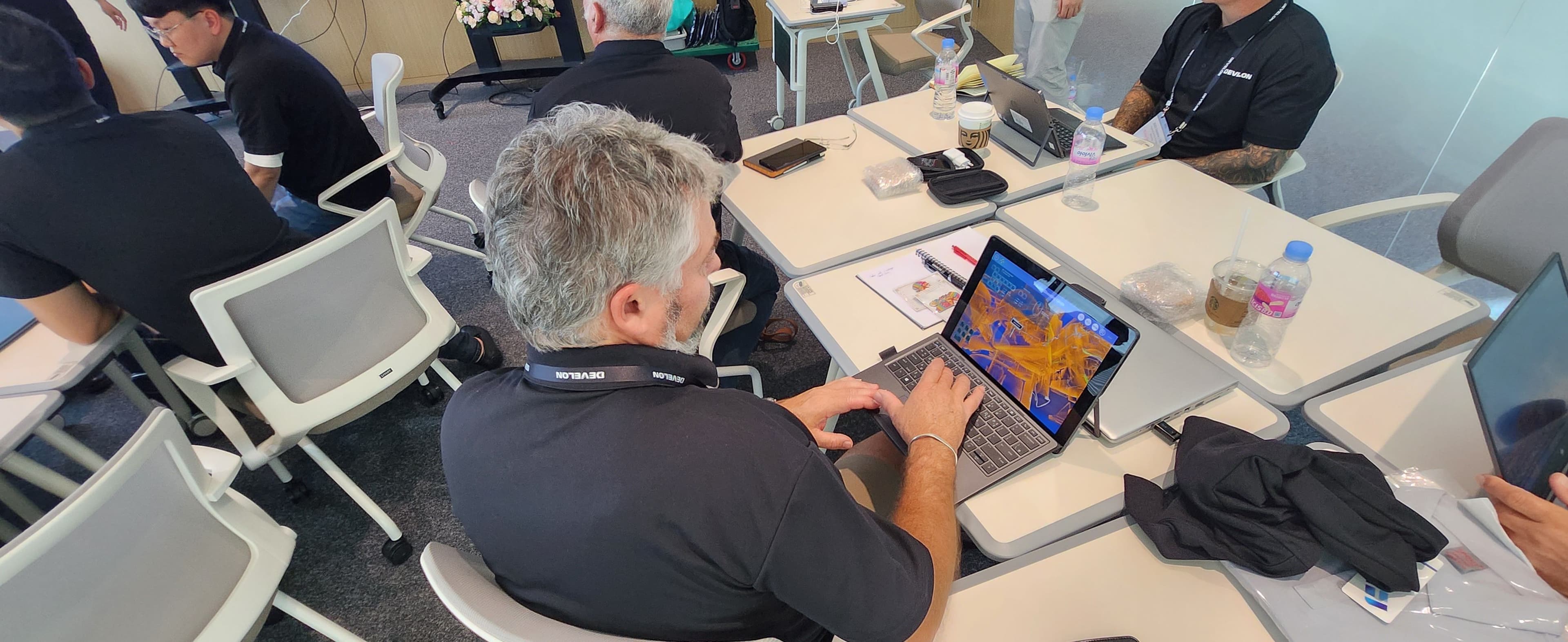
Augmented reality (AR) helps users understand things more easily and communicate faster by overlapping virtual digital content with the real world. This article introduces AR Guidance from HD Hyundai Infracore and explores how they’ve adopted AR for the maintenance of construction machinery.
When complex construction machinery breaks down, AR Guidance can be used to easily identify the problem. Using floor augmentation, objects can be brought up to troubleshoot data for the equipment. The content provided in apps can be used on devices like smartphones and tablets. It is the first AR solution of its kind in the construction machinery industry.
Discover how HD Hyundai Infracore’s Global Product Support team uses Unity for troubleshooting.
In 2019, HD Hyundai Infracore collected equipment requirements and feedback through interviews with product owners. As they sought to find a way to fulfill their clients’ needs, they planned various service solutions in combination with IT in the service sector. One of these solutions was to use AR to bring up 3D modeling so that clients could easily identify equipment data.
They decided to make content that combined modeling with the details of the troubleshooting guide. This content provides users with the basic shape of the equipment and tells them which procedure they should follow to solve their problem.
1) Dealer: The dealer that contracts equipment and maintenance (relevant region)
2) Service staff: Dealer equipment service staff
The inner workings of construction machinery consist of a complex series of wires, hydraulic hoses, and pipelines, making them difficult to understand. Identifying a point of failure can therefore be very time-consuming. Internal experts were able to understand the inside of the equipment and components through 3D equipment modeling; however, the dealers and service staff had limited access and could not utilize the data.
For example, the equipment mainly consists of hydraulics, a circuit diagram of electrical systems, and a block diagram of the engine. The dealer service staff can check the .dwg-based system circuit diagram to identify the structure and logic of the equipment, but even when they figure out the logic through the structure of the circuit diagram, it still takes time to locate major components in the actual equipment. It takes even longer for new service staff.
Dealers needed a way for service staff to quickly provide professional services, while service staff needed content that could help them understand equipment data more intuitively than previous text-based service materials. A solution that lets users obtain the data they need and learn from experiences with ease was required.
During AR Guidance test operations, content was checked for basic elements, such as displaying major component locations and features that provide detailed data on components.
Many popular games use AR, but there were not as many cases where Unity was adopted in the construction machinery market. However, it soon became clear that HD Hyundai Infracore could easily start a project in Unity using various materials, including data provided by creators, tutorials from Unity, manuals, and more.
Upon examining various use cases, it became clear that Unity’s real-time 3D technology could be used across many industries outside of gaming. Most notably, it could be used in the construction machinery industry.
AR Guidance consists of two modules: Guidance and 3D Model Viewer.

AR Guidance displays 3D models of the equipment and offers users a guide for equipment troubleshooting with industrial augmented reality. Users can check and troubleshoot equipment problems on their own using three methods.

3D Model Viewer, which does not use AR technology, provides simple control over 3D modeling and provides access to more data by associating the system circuit diagram with each component in the following stages. The goal of this is to help those who are new to the service use 3D product visualization to easily understand the equipment.
The first step was to identify which content was the most useful to users in order to efficiently solve their needs. Unity’s training programs, as well as those from the Gyeonggi Content Agency, were used to ensure that users were equipped with the tools and knowledge they needed to be successful.

When implementing the Sensor Signal Monitoring system, it was important to categorize and select data, as importing too much data from the equipment to show the location and status values via 3D modeling could cause problems.
There was a constant need for a mobile-based diagnosis program, as all equipment diagnosis programs were developed for Windows. HD Hyundai Infracore thought importing Sensor Signal Monitoring, one of the features of the Windows-based diagnosis program, and showing it with the augmented 3D modeling of the equipment, could clearly provide the users with equipment status information.
The 3D modeling data was removed from the 3D Product Data Management (PDM), keeping only the minimum required to deliver equipment information. HD Hyundai Infracore also worked to reduce the volume of redundant data imported from each piece of content by structuring it.

The troubleshooting guide provides detailed information about the connector PIN number, color, flow chart, and more. It does so according to the occurrence of fault codes by using 3D modeling along with the shape of wires and connectors. The development of this content has contributed to establishing content standards for wiring troubleshooting for fault codes.

Because construction machinery usually works in harsh environments, it was important to ensure that the 3D models were stable enough to accurately check equipment data using the AR technology. The aim was to compose one-source, multi-use content in relatively small volumes and increase the speed of data download and execution.
Performance tests need to be conducted for all equipment operations to accurately verify repairs. Many variables, including weather and operator controlling methods, make it difficult to extract precise data. To combat this, HD Hyundai Infracore have provided guides that make it simpler to extract accurate equipment performance data using 3D modeling.
Positive user feedback
For AR Guidance, usability and stability were key. A simple structure was chosen to enable users to easily access equipment data. Capacity was also minimized in order to ensure stable app usage based on the usage environments of users.
As a result, HD Hyundai Infracore received many positive reviews and valuable feedback after the launch of the beta version of AR Guidance for European service staff. This included a request to implement content for main component data, which later became a stepping stone for the development of 3D Model Viewer content.
A new perspective on construction machinery manufacturers
AR Guidance has played a part in changing the perceptions of technical support services for construction machinery. HD Hyundai Infracore goes beyond traditional services, offering a variety of digital services and providing technical support as a premium service strategy. They enhanced client satisfaction and improved their corporate image by providing more innovative digital services with their AR Guidance solution.
Effective problem solving
AR Guidance helps reduce service time by allowing staff to more easily identify fault data. It also effectively reduces communication time for equipment fault data because headquarters can support problems not directly solved by the dealer service.
The future of AR Guidance and AR construction
The first objective is to increase the usage rate of global service staff to more than 80%. In order to do this, the expansion of target equipment implementation should be prioritized, as not all equipment sold globally is currently available in the construction management app. It will also be important to quantify service lead time and verify the reduction in communication.
Mobile devices were the easiest to interact with, so they were the first to be integrated. HD Hyundai Infracore aims to adopt AR glasses next in order to increase the usability of AR Guidance. They will then begin developing VR-based content alongside their AR-based content. VR solutions will be used to guide regular equipment inspections and correct equipment operations before and after sales.
HD Hyundai Infracore also plans to increase equipment uptime by reducing service time with the troubleshooting guide within AR Guidance. The adoption of AR glasses will enable hands-free use during maintenance and repairs.
The role of Unity is crucial in the process. They allowed HD Hyundai Infracore to overcome many of the challenges they faced through support, online resources, and the Unity creator communities.
AR Guidance is growing with HD Hyundai Infracore. The generation of construction machinery changes in accordance with exhaustive regulations. HD Hyundai Infracore is steadily developing equipment for the new generation and AR Guidance content will continuously be developed for that equipment as well. Usability is expected to be increased by providing troubleshooting guides through AR Guidance as new generations are introduced. HD Hyundai Infracore is developing next-generation equipment, which will be implemented with AR Guidance and see continuous development.
"With each new release of construction machinery equipment, the content and UI will undergo significant changes. As before, by utilizing Unity's rapid support and various platforms, it will be possible to create content that suits the new generation of equipment and quickly meets customer needs."
- Ingeun Lee, Senior Manager of HD Hyundai Infracore

