• Games
  • Industry
  • Resources
  • Community
  • Learning
  • Support
  • Pricing
Develop
Unity Engine
Build 2D and 3D games for any platform
Collaboration
Collaborate and iterate quickly with your team
Download Unity
Plans and pricing
Deploy
Multiplatform
Discover 25+ platforms Unity supports
LiveOps
Post-launch insights and live game ops
Grow
User acquisition
Get discovered and acquire mobile users
In-App Purchase
Discover and manage IAP across stores
Monetization
Connect players with the right games
Advertise with Unity
Monetize with Unity
Use cases
Mobile Games
Build & grow mobile hits with Unity
Indie Games
Ship big games with small teams
XR Games
Launch XR games across platforms
Multiplayer Games
Simplify multiplayer game development
Use cases
3D collaboration
Build and review 3D projects in real time
Immersive training
Train in immersive environments
Customer experiences
Create interactive 3D experiences
Industries
Manufacturing
Achieve operational excellence
Retail
Transform in-store experiences into online ones
Automotive
Boost innovation and in-car experiences
See all industries
Technical library
Documentation
Official user manuals and API references
Developer tools
Release versions and issue tracker
Roadmap
Review upcoming features
Glossary
Library of technical terms
Insights
Case studies
Real-world success stories
Best practice guides
Expert tips and tricks
Demos
Demos, samples, and building blocks
All resources
What's new
Blog
Updates, information, and technical tips
News
News, stories, and press center
Community Hub
Discussions
Discuss, problem-solve, and connect
Events
Global and local events
Community stories
Made with Unity
Showcasing Unity creators
Livestreams
Join devs, creators, and insiders
Unity Awards
Celebrating Unity creators worldwide
For every level
Unity Learn
Master Unity skills for free
Professional training
Level up your team with Unity trainers
New to Unity
Getting started
Kickstart your learning
Unity Essential Pathways
New to Unity? Start your journey
How-to Guides
Actionable tips and best practices
Education
For students
Kickstart your career
For educators
Supercharge your teaching
Education Grant License
Bring Unity’s power to your institution
Certifications
Prove your Unity mastery
Support options
Get help
Helping you succeed with Unity
Success plans
Reach your goals faster with expert support
FAQ
Answers to common questions
Contact us
Connect with our team
Download Unity
Get started
Language
  • English
  • Deutsch
  • 日本語
  • Français
  • Português
  • 中文
  • Español
  • Русский
  • 한국어
Social
Currency
Purchase
  • Products
  • Unity Ads
  • Unity Asset Store
  • Resellers
Education
  • Students
  • Educators
  • Institutions
  • Certification
  • Learn
  • Skills Development Program
Download
  • Unity Hub
  • Download Archive
  • Beta Program
Unity Labs
  • Labs
  • Publications
Resources
  • Learn platform
  • Community
  • Documentation
  • Unity QA
  • FAQ
  • Services Status
  • Case Studies
  • Made with Unity
Unity
  • Our Company
  • Newsletter
  • Blog
  • Events
  • Careers
  • Help
  • Press
  • Partners
  • Investors
  • Affiliates
  • Security
  • Social Impact
  • Inclusion & Diversity
  • Contact us
Copyright © 2025 Unity Technologies
  • Legal
  • Privacy Policy
  • Cookies
  • Do Not Sell or Share My Personal Information

"Unity", Unity logos, and other Unity trademarks are trademarks or registered trademarks of Unity Technologies or its affiliates in the U.S. and elsewhere (more info here). Other names or brands are trademarks of their respective owners.

Unity Blog

Best practices for bringing AR applications to the field

Nick Davis
NICK DAVIS / UNITY TECHNOLOGIESContributor
Feb 28, 2020|5 Min
Best practices for bringing AR applications to the field

Learn how industrial giant ABB is using Unity and augmented reality to transform field maintenance procedures into a completely paperless process.

We recently invited members of ABB’s IS Innovation and Digital Scouting team, Maciej Włodarczyk and Rafał Kielar, to walk us through how they used Unity to develop a new digital field operator system. This multiplatform application runs on mobile devices and the HoloLens, and it’s designed to improve the efficiency and safety of the field operators maintaining and servicing equipment on industrial sites.

Learn more in their presentation on a recent Unity webinar, including their migration process to the HoloLens 2. In the webinar, Microsoft’s Mixed Reality Academy lead engineer Nick Klingensmith also shares how Microsoft’s new device will take AR-enabled training, guidance, and maintenance to the next level.

Watch the webinar

Let’s explore the problems ABB sought to solve for its clients and some of their key learnings from the development process.

What are some challenges faced by maintenance operators?

For ABB’s customers, two key personnel are involved in this process: the field operators responsible for maintaining and servicing equipment, and control room operators who supervise the process and are located in another part of the facility.

Due to the dangerous nature of the tasks involved, field operators have traditionally undergone time-consuming, expensive training programs before working on-site.

Once they are in the field, however, it is difficult to assign and track performed service procedures, which are done on paper. This leads to further communication issues between field and control room operators, who often need to exchange information in real-time.

How did ABB solve these challenges?

ABB used the Unity Editor and Microsoft’s Mixed Reality Toolkit (MRTK) to test prototypes quickly and eventually build a production-ready software application called ABB Ability™ Augmented Field Procedures. This multiplatform application completely digitizes the field operator experience with remote-enabled augmented reality technologies.

The application provides several advantages over the traditional, paper-based workflow. This system:

  • Allows any field operator to follow digitized procedures and become an expert without costly training
  • Integrates the field and distributed control systems to enable real-time data capture (versus processing paper-based forms afterward)
  • Ensures that the latest version of a procedure is always followed (rather than using an outdated document)
  • Connects field and control room operators for real-time communication using Microsoft Remote Assist

This content is hosted by a third party provider that does not allow video views without acceptance of Targeting Cookies. Please set your cookie preferences for Targeting Cookies to yes if you wish to view videos from these providers.

What are some best practices for designing wearable AR applications for field use?

Based on their experiences, Włodarczyk and Kielar from ABB shared numerous best practices for those developing similar applications related to training, guidance, and maintenance use cases. In this post, we focus on several best practices for the HoloLens application, centered around the user interface (UI) and ergonomy of interactions.

Check out the webinar for a complete list of ABB’s recommendations, including location/device recognition, hologram positions, and more.
Make the UI unobtrusive
image

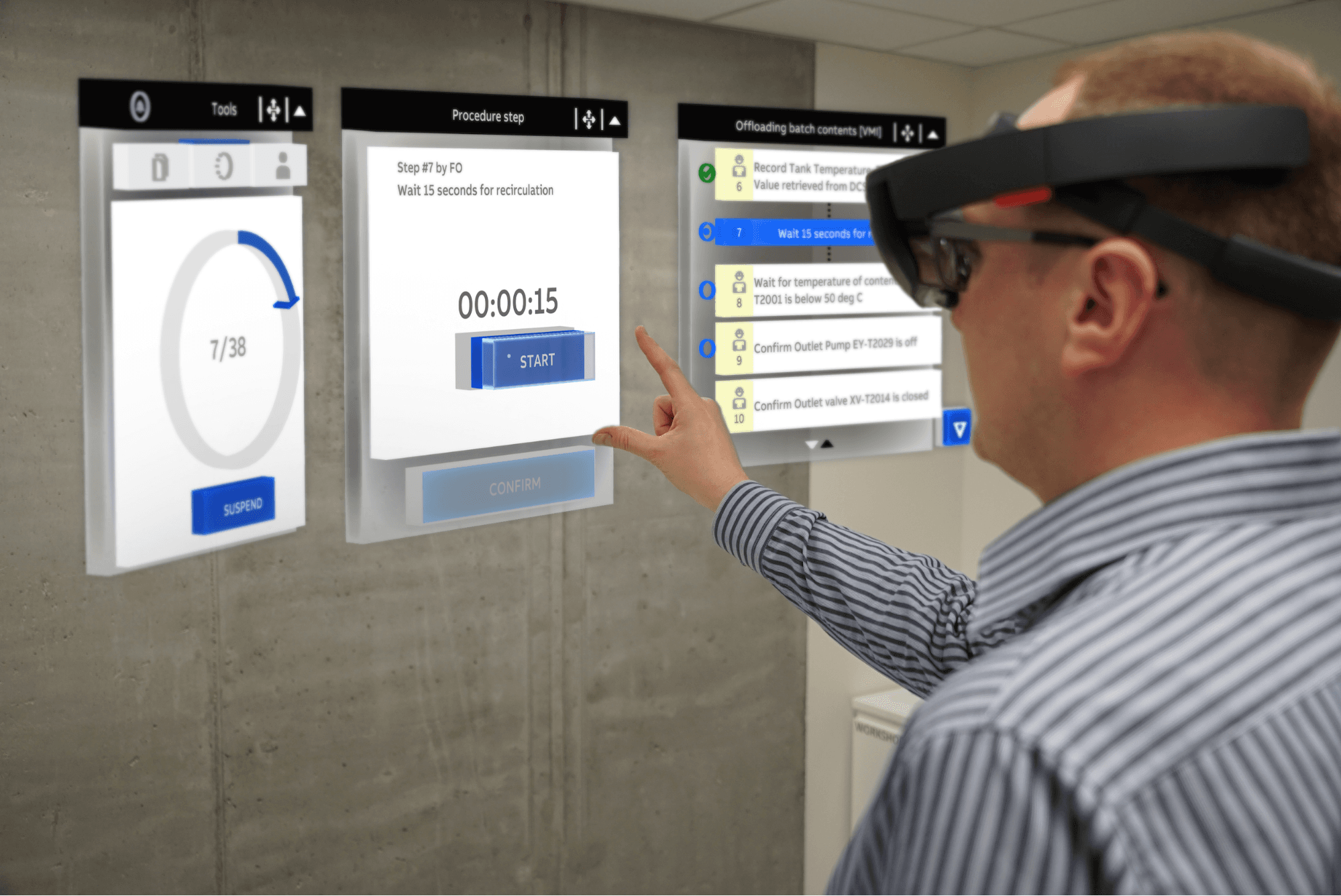
As seen in the image above, the UI should not obscure the user’s view. UI elements that block the real-life objects that the user needs to interact with can pose a safety hazard.

Make it easy to control what the user sees

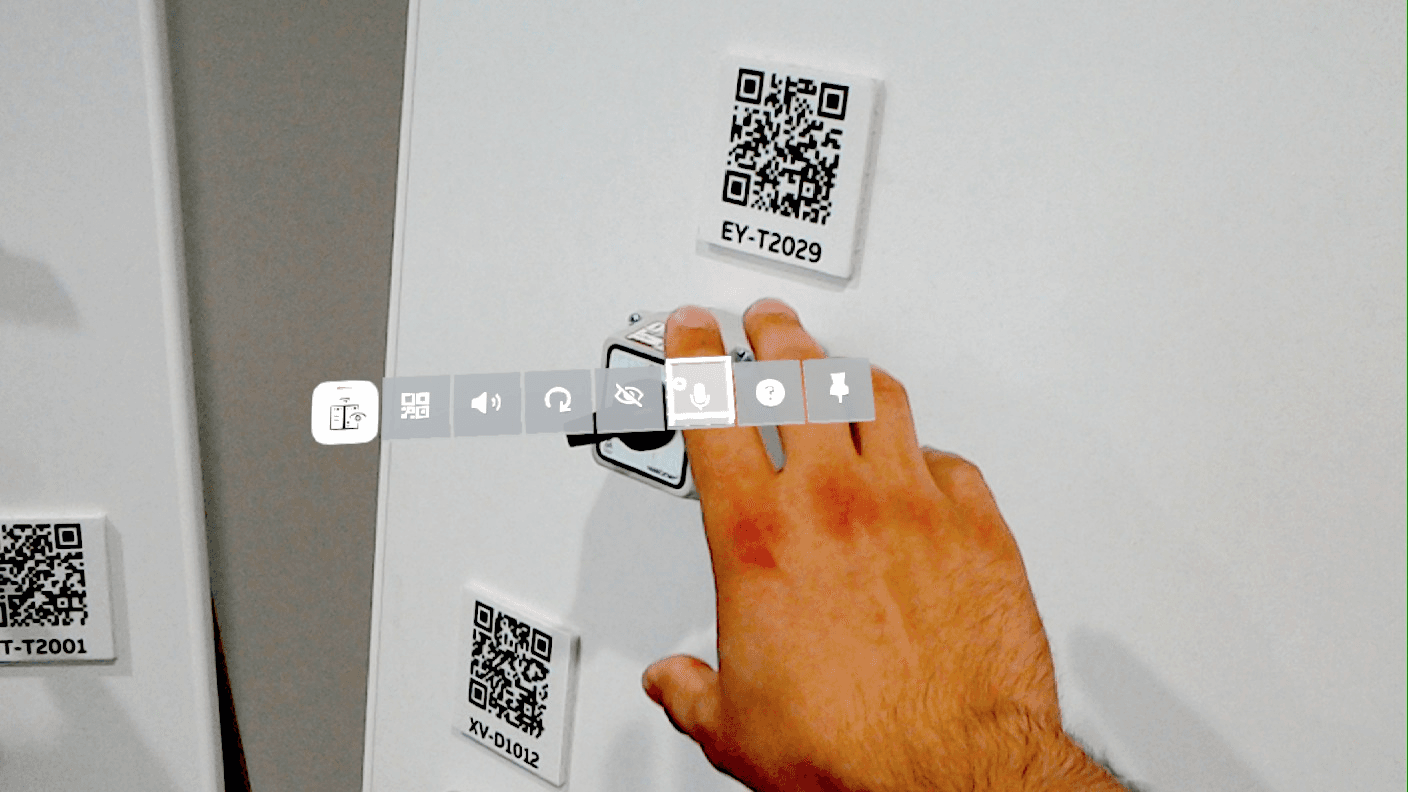
To minimize clutter in the user’s field of view, allow navigation menus to be accessed on request rather than being omnipresent. In the video above, notice how the user controls the visibility of the menu with a gesture.

In order to avoid blocking the field of view, some may think smaller menus and buttons make sense. On the contrary, these should be large enough to be easily targeted by gaze and selected by gestures.

Make interactions intuitive, and automate as many of them as possible

Włodarczyk and Kielar needed to make their app easier and more convenient to use than the paper-based Standard Operating Procedures (SOP) their clients were used to.

That led them to automate as much of the experience as possible in order to limit the number of interactions the user needed to perform (e.g., having a window automatically appear following a gesture, as shown in the video above). It’s also important to provide clear instructions (e.g., the “tap to dock” message shown in the video) to ensure that the next step is always clear.

Users should also be given the flexibility to select the interaction mode of their choice, such as voice commands, gaze, and gestures.
Pressure-test with users who are new to AR
image

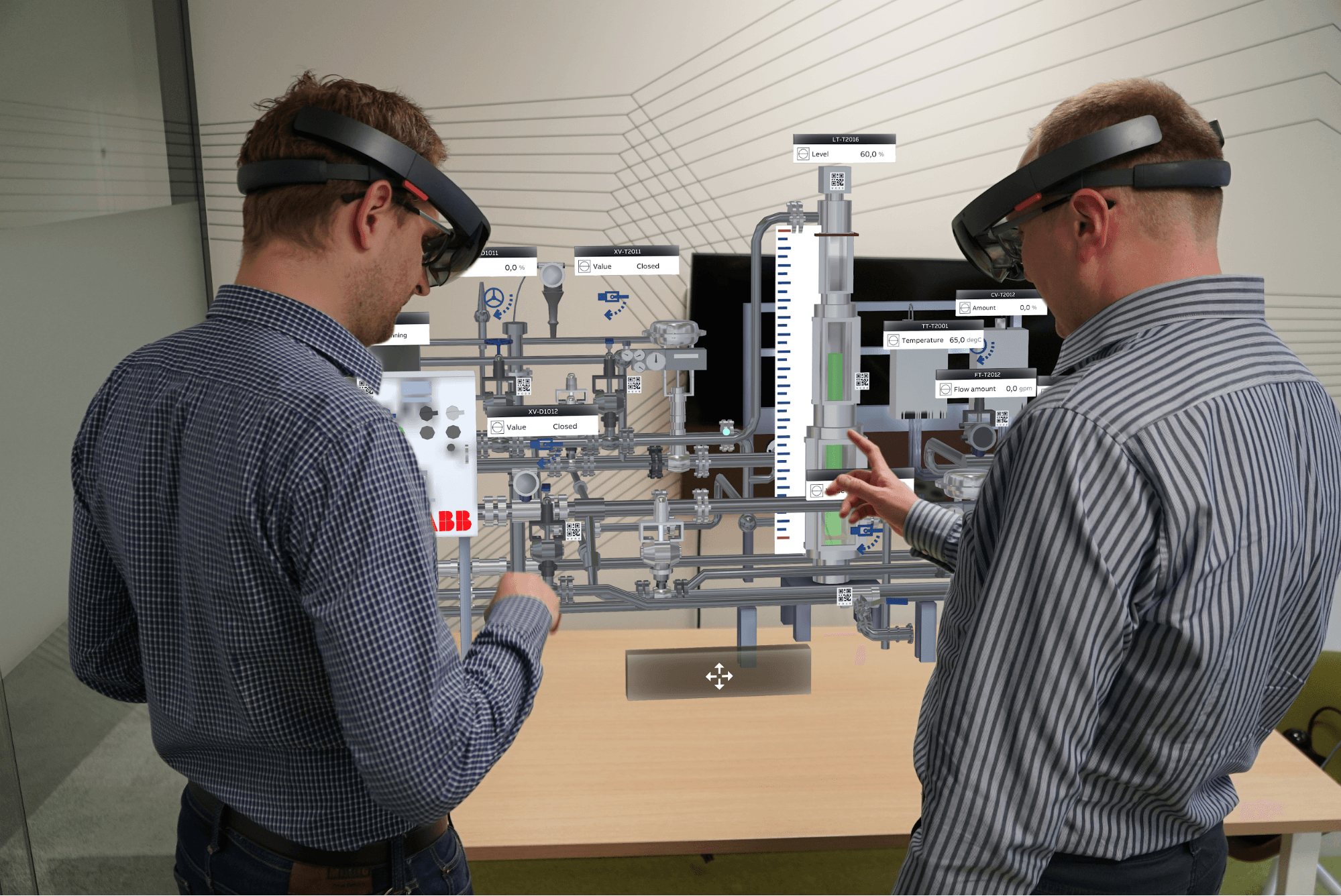
Since most field operators have limited experience with AR but will be the end-users of these applications, it’s critical to share the app with a test group comprised of these individuals. They will be a source of valuable feedback that will help you to reduce complexity and streamline your app to its core components.

---

For more best practices from ABB, sign up to watch our on-demand webinar.

You can also check out ABB’s presentation at Unite Copenhagen.

This content is hosted by a third party provider that does not allow video views without acceptance of Targeting Cookies. Please set your cookie preferences for Targeting Cookies to yes if you wish to view videos from these providers.

Check out Unity Industry and learn how to get started developing XR applications with Unity.